# Sovran_SystemsOS
### Bitcoin sovereignty. Sovereign computing. One system.
Sovran_SystemsOS is a free and open-source operating system built for two
inseparable freedoms: **Bitcoin self-custody** and **sovereign computing**.
Hold your own keys, trade peer-to-peer, and verify your own money with your
own node. Then claim that same uncompromising ownership over the rest of your
digital life — your files, communications, passwords, and websites — all on
hardware you control, running auditable open-source software you can trust.
Every installation is a private [NixOS](https://nixos.org) desktop with
[Sparrow Wallet](https://sparrowwallet.com), [Bisq](https://bisq.network), and
[Bisq 2](https://github.com/bisq-network/bisq2) ready to use. Move beyond
custodial exchanges from the first boot, and grow into your own Bitcoin node,
Lightning infrastructure, private cloud, and communications platform when you
are ready.
[Visit the Website](https://sovransystems.com) ·
[Download the ISO](https://downloads.sovransystems.com/Sovran_SystemsOS-1.1.7.iso) ·
[Try it safely in a VM](#try-it-first-in-a-virtual-machine) ·
[Verify the Download](https://downloads.sovransystems.com/Sovran_SystemsOS-1.1.7.iso.sha256) ·
[Build from Source](#build-from-source)
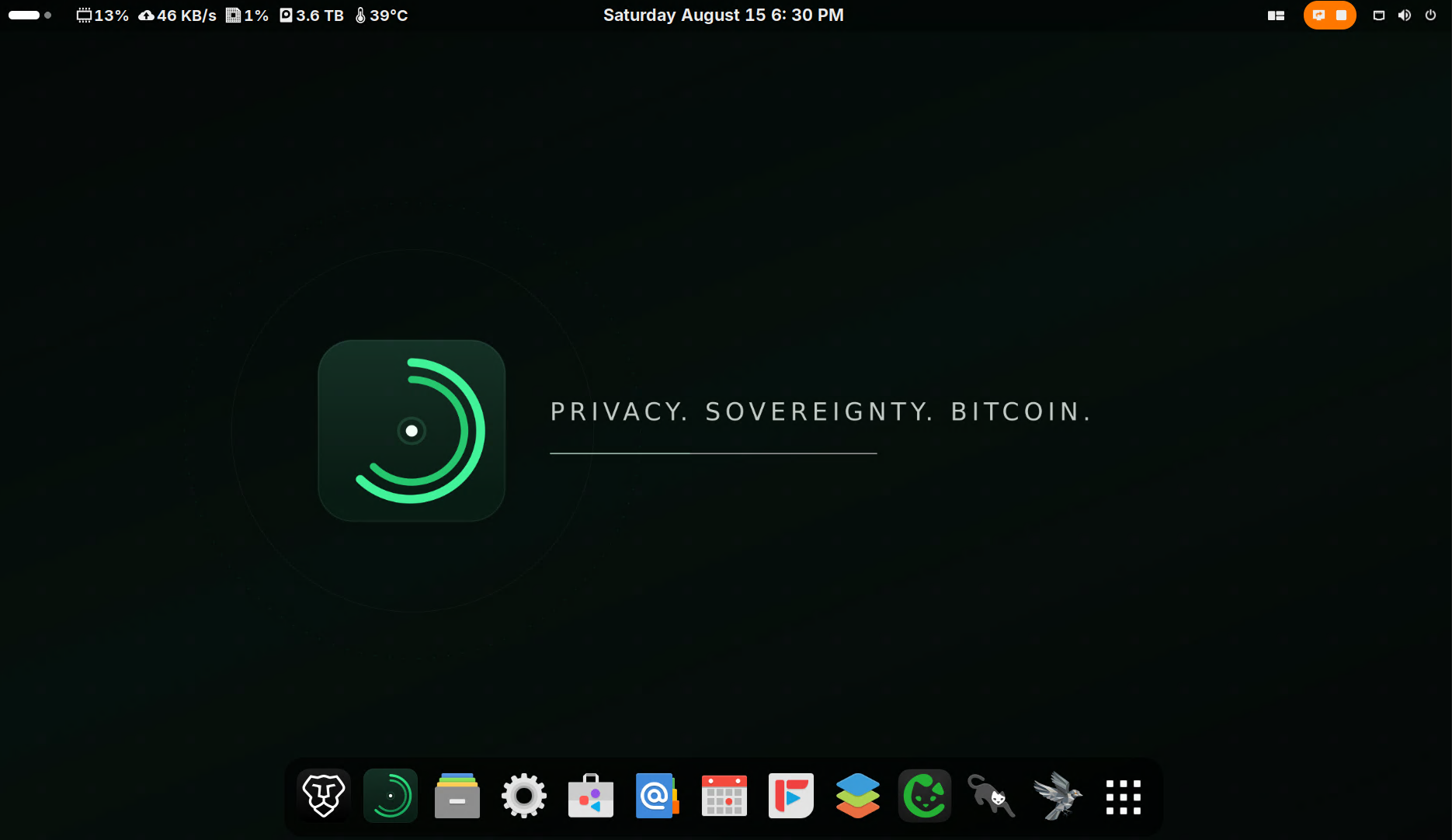
*Bitcoin sovereignty from the first boot.*
> **📌 Active development on GitHub `main` / Gitea `staging-dev` — releases on
> [Gitea `stable`](https://git.sovransystems.com/Sovran_Systems/Sovran_SystemsOS/src/branch/stable).**
> See [Development workflow](#development-workflow) for details.
---
## Contents
- [Why Sovran_SystemsOS?](#why-sovran_systemsos)
- [Try it first in a virtual machine](#try-it-first-in-a-virtual-machine)
- [What is included](#what-is-included)
- [Three modes](#three-modes)
- [Use it your way](#use-it-your-way)
- [The Hub](#the-hub)
- [Install Sovran_SystemsOS](#install-sovran_systemsos)
- [For developers](#for-developers)
- [Development workflow](#development-workflow)
- [Build from source](#build-from-source)
- [Publishing a release](#publishing-a-release)
- [About Bitcoin wallet entropy](#about-bitcoin-wallet-entropy)
- [Security approach](#security-approach)
- [Acknowledgements](#acknowledgements)
- [License](#license) · [Contributing](#contributing)
---
## Why Sovran_SystemsOS?
Bitcoin lets you hold and transfer value without asking a bank, exchange, or
custodian for permission. But that freedom depends on the software and
infrastructure you choose. Your wider digital life works the same way: files,
messages, and passwords kept on someone else's servers are never fully yours.
Sovran_SystemsOS solves both with one operating system:
- **Hold your own keys** with Sparrow Wallet. Create and manage wallets,
connect hardware signing devices, use multisignature setups, build and
inspect transactions, and control UTXOs and coin selection.
- **Buy and sell Bitcoin peer-to-peer** with Bisq and Bisq 2. No central
company holds user funds, and no exchange account stands between buyers and
sellers.
- **Verify your own Bitcoin** with a full node: [Bitcoin Core](https://bitcoin.org) and
[Electrs](https://github.com/romanz/electrs), so your wallets connect to
*your* node instead of a stranger's.
- **Use Lightning** with [LND](https://github.com/lightningnetwork/lnd) and
[Ride The Lightning](https://github.com/Ride-The-Lightning/RTL).
- **Accept Bitcoin directly** with [BTCPay Server](https://btcpayserver.org),
with no payment processor in the middle.
- **Own the rest of your digital life** with
[Nextcloud](https://nextcloud.com) files and calendars,
[Matrix](https://matrix.org) communications, a
[Vaultwarden](https://github.com/dani-garcia/vaultwarden) password vault,
and your own [WordPress](https://wordpress.org) website.
- **Protect your network privacy** with [Tor](https://www.torproject.org)
integration across the Bitcoin stack.
- **Control everything from the Sovran Hub**, on the desktop or from any
browser on your local network.
No custodian needs to hold your Bitcoin. No outside node needs to tell your
wallet what happened on the network. No third-party cloud needs to control
your data or services.
Other projects solve one piece of this puzzle: a Linux distribution that can
run a wallet, a node project that runs Bitcoin services, a self-hosting stack
that replaces a cloud app. Sovran_SystemsOS brings those worlds together and
makes them approachable: Bitcoin tools from the first boot, a complete path
from desktop to node to self-hosting, one control center, hardware you own,
and a reproducible, auditable NixOS foundation.
> Sovran_SystemsOS provides tools for self-custody and peer-to-peer Bitcoin
> use. Users remain responsible for protecting their keys, understanding their
> trades, following applicable laws, and maintaining secure backups.
---
## Try it first in a virtual machine
**Curious, but not ready to replace your current operating system?** Start with
Sovran_SystemsOS in a virtual machine (VM). A VM runs Sovran_SystemsOS in a
window on your existing Windows, macOS, or Linux computer, using a virtual disk
file instead of your computer's internal drive. You can explore the desktop,
Sovran Hub, Sparrow, Bisq, and the installation experience before changing how
you use any physical machine.
This is a low-commitment way to decide whether Sovran_SystemsOS is right for
you:
- **Keep your current OS.** Closing or deleting the VM leaves the host operating
system in place.
- **Learn at your own pace.** Familiarize yourself with the desktop and tools
without needing to make it your daily computer on day one.
- **Choose your next step with confidence.** When you are ready, install it on
a dedicated computer, or keep using the VM as a learning environment.
You can use the same ISO with [VirtualBox](https://www.virtualbox.org), VMware,
QEMU/KVM, Proxmox, and similar x86_64 VM software. For a first look, select
**Desktop Only**, allocate at least **8 GB RAM**, and create a **256 GB or
larger dynamically allocated virtual disk**. The full VM setup and installer
requirements are in [Installing in a virtual machine](#installing-in-a-virtual-machine-optional).
> **A VM is for evaluation and learning, not a substitute for a dedicated,
> hardened setup.** Do not use a trial VM to hold meaningful Bitcoin, recovery
> phrases, passwords, or other sensitive data. Avoid attaching physical drives
> to the VM, and be deliberate about shared folders, clipboard sharing, and
> network settings. The installer only changes the disk you select, but you
> should always review VM disk selections before confirming an install.
---
## What is included
Depending on the selected mode and enabled features, Sovran_SystemsOS brings
together a growing collection of private, open-source tools. The Sovran Hub
presents and manages the features available on your system.
### Your money — Bitcoin sovereignty
- Bitcoin Core, Electrs, and Tor integration
- LND and Ride The Lightning, with [Alby Hub](https://albyhub.com) for Nostr
Wallet Connect (NWC) connections
- BTCPay Server
- Sparrow Wallet, Bisq, and Bisq 2, with automatic wallet-to-node connections
- Optional: a self-hosted [Mempool](https://github.com/mempool/mempool)
explorer
Run your own Bitcoin infrastructure. Verify your own money. Trust no one.
### Your voice — private communications
- The [Synapse](https://github.com/element-hq/synapse) homeserver (Matrix) and
the [Element](https://element.io) client
- Optional Matrix-native Element audio and video calling, powered by
[LiveKit](https://livekit.io)
- Optional [Haven](https://github.com/bitvora/haven)
[Nostr](https://github.com/nostr-protocol/nostr) relay
Communicate without making Big Tech the owner of your identity or
conversations.
### Your cloud — self-hosting and storage
- Nextcloud files, calendars, and contacts
- Vaultwarden password vault
- WordPress websites
- [Caddy](https://caddyserver.com) with private service domains
- Optional remote desktop
Keep your files, passwords, calendar, contacts, website, and services on
hardware you control.
### Your desktop
- [GNOME](https://www.gnome.org) desktop
- [Brave Origin](https://brave.com/origin/) and
[Firefox](https://www.mozilla.org/firefox) browsers
- File management, email, calendar, and office applications
- System monitoring and administration tools
---
## Three modes
Every mode shares the same foundation: the private NixOS and GNOME desktop,
the Sovran Hub, and Sparrow, Bisq, and Bisq 2. What changes is how much
Bitcoin and self-hosting infrastructure runs on the machine.
| Mode | Best for | What you get |
|---|---|---|
| **Desktop** | Everyday users and computers with modest hardware | Sparrow, Bisq, and Bisq 2 for self-custody and peer-to-peer Bitcoin use |
| **Node** | People ready to verify and operate their own Bitcoin infrastructure | Everything in Desktop, plus the full Bitcoin stack: Bitcoin Core, Electrs, LND, Ride The Lightning, BTCPay Server, and wallet-to-node connections |
| **Server + Desktop** | Bitcoiners who want the same sovereignty over their communications, cloud, passwords, and web services | The complete Node stack, plus the private self-hosted services. **Makes your home IP address public:** [read this first](#server--desktop-and-your-home-ip-address) |
**Desktop: start with your keys.** Desktop is not a reduced or Bitcoin-free
edition. It is a complete, private everyday computer with a clean GNOME
desktop, Tor, and the Sovran Hub, giving you a lower-hardware path to
self-custody and non-KYC Bitcoin tools from the first boot. You do not need a
fully synchronized node to begin; move to Node mode when your hardware,
storage, and needs are ready.
**Node: verify your own money.** Instead of asking someone else's server
about your wallet and transactions, you operate the infrastructure that
performs the verification. Your node verifies. Your wallet connects to it.
Your keys remain yours.
**Server + Desktop: sovereignty beyond money.** Bitcoin sovereignty is the
foundation. Server + Desktop applies the same principle to your data,
communications, identity, and services.
### Recommended hardware
| | **Desktop** | **Node** | **Server + Desktop** |
|---|---|---|---|
| Processor | 64-bit Intel or AMD, ~2015 or newer | Intel or AMD x86, ~3 years old or newer | Same as Node |
| RAM | 8 GB | 16 GB | 32 GB |
| Storage | 256 GB SSD | 500 GB NVMe (OS) + 2 TB NVMe (timechain) | Same as Node |
| Network | Any broadband | Unmetered, ~200 Mbps down / 50 Mbps up | Same as Node |
| Also needed | — | — | A domain for publicly accessible services |
> **Before choosing Server + Desktop:** this mode makes services reachable from
> the public internet, which means opening specific ports on your home network.
> Before you start, confirm three things: you can log in to your router's admin
> panel, the panel includes a port-forwarding section, and your internet
> provider allows port forwarding. Most home routers and providers already
> support this. If you are unsure, a quick search for your router model and
> "port forwarding" will usually turn up a step-by-step guide.
>
> **This mode also makes your home IP address public.** Read
> [what that means](#server--desktop-and-your-home-ip-address) before you
> choose it.
### Server + Desktop and your home IP address
> **⚠️ Server + Desktop makes your home IP address public.**
> Public services need a domain name that points at your home internet
> connection. When you finish the guided domain setup, Sovran_SystemsOS puts
> your home's public IP address in a Dynamic DNS record at
> [Njal.la](https://njal.la) and keeps it up to date, and you forward ports 80
> and 443 on your router to this computer. From then on:
>
> - **Anyone can look up your domain and see your home IP address.** An IP
> address typically reveals your internet provider and your approximate
> location, and it ties everything you publish on that domain to your home
> connection.
> - **Domain privacy does not hide it.** Registrar privacy protects the
> registrant's identity, not the IP address in your DNS records.
> - **Your connection is open to the whole internet on those ports.** Scanners
> and bots constantly probe public IP addresses, so expect automated probing
> and login attempts against every service you publish.
> - **Your service names are discoverable.** Public HTTPS certificates are
> listed in public Certificate Transparency logs, so hostnames such as
> `vault.yourdomain.com` can be found, and then resolved to your IP address,
> even if you never share them.
Nothing is published until you finish domain setup and port forwarding, but that
setup is the point of this mode, so assume your IP address will be public.
**Desktop** publishes nothing. **Node** publishes nothing unless you turn on a
feature that needs a domain: *Put BTCPay Server Online* or *Lightning Wallet
Connections*.
**If you do not want your home IP address to be public,** choose Desktop or
Node. Advanced users can put a VPS, reverse proxy, or tunnel in front of their
services so DNS points there instead of at their home. Sovran_SystemsOS does not
set this up for you, and the Hub's domain checks currently expect DNS to point
at your home IP address.
---
## Privacy. Sovereignty. Bitcoin.
[Visit Sovran Systems](https://sovransystems.com) ·
[Download Sovran_SystemsOS](https://downloads.sovransystems.com/Sovran_SystemsOS-1.1.7.iso) ·
[View the License](LICENSE)
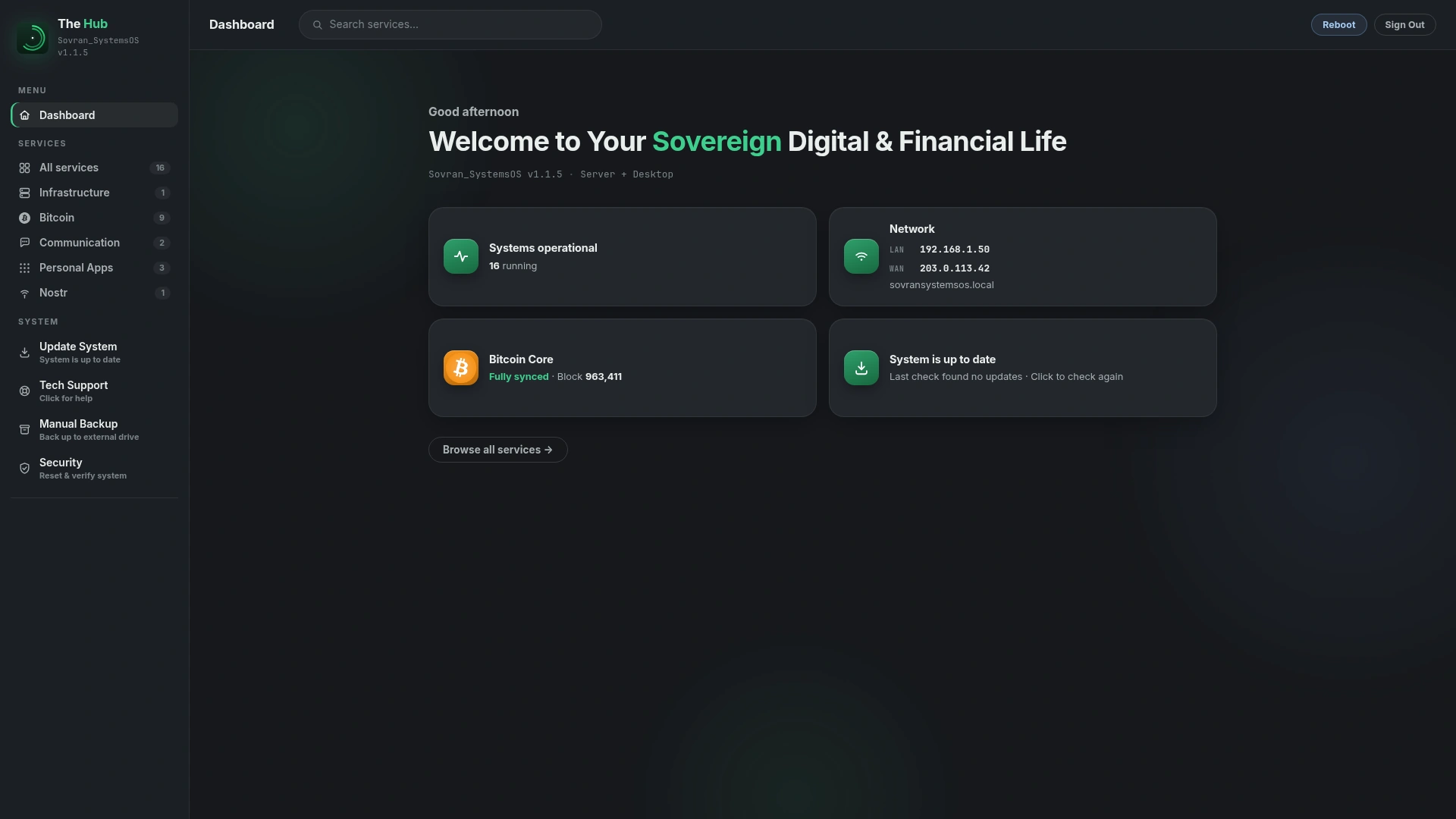 *The Hub: your whole system at a glance — Bitcoin, Lightning, and your private apps.*
### Example home setup
```text
Your local network
│
┌──────────────────────┼──────────────────────┐
│ │ │
Windows laptop Phone or tablet Mac or Linux
│ │ │
└─────── Browser: sovransystemsos.local:8937 ─┘
│
▼
┌──────────────────────────┐
│ Sovran_SystemsOS │
│ │
│ • The Hub │
│ • Bitcoin node │
│ • Sparrow Wallet │
│ • Bisq and Bisq 2 │
│ • Lightning │
│ • Private cloud │
│ • Communications │
│ • Password vault │
│ • Hosted services │
└──────────────────────────┘
```
Keep using the devices you already own. Sovran_SystemsOS becomes the private
Bitcoin and digital infrastructure behind them.
> **Local access:** the Hub is available at
> `http://sovransystemsos.local:8937` to devices connected to the same local
> network (not on Desktop, which publishes nothing). It is protected by
> authentication, answers only your local network, and is not automatically
> exposed to the public internet.
---
## Install Sovran_SystemsOS
Sovran_SystemsOS is free and open source. You can download the installer,
verify it, write it to a USB drive, and install it yourself, staying in
control from the very first step.
An ISO is a complete installation image containing the operating system and
installer. It is not copied to a USB drive like a document; it must be written
with an imaging application such as [Balena Etcher](https://etcher.balena.io).
**Before you begin, you will need:**
- A compatible 64-bit computer, and a backup of anything important on it
- A USB drive that can be erased
- Another computer for downloading and preparing the installer
- An internet connection
> **Important:** Installing an operating system can erase the selected
> destination drive. Back up important files and review every disk selection
> carefully before continuing.
### 1. Download the ISO and checksum
- [Download Sovran_SystemsOS-1.1.7.iso](https://downloads.sovransystems.com/Sovran_SystemsOS-1.1.7.iso)
- [Download Sovran_SystemsOS-1.1.7.iso.sha256](https://downloads.sovransystems.com/Sovran_SystemsOS-1.1.7.iso.sha256)
The download may take some time. Do not rename or modify the ISO before
verifying it, and keep both files in the same folder.
### 2. Verify the checksum
A checksum is a digital fingerprint of a file. Verifying it confirms that the
ISO downloaded completely, was not accidentally corrupted, and matches the
published image. The checksum produced from your ISO must match the published
checksum exactly.
*The Hub: your whole system at a glance — Bitcoin, Lightning, and your private apps.*
### Example home setup
```text
Your local network
│
┌──────────────────────┼──────────────────────┐
│ │ │
Windows laptop Phone or tablet Mac or Linux
│ │ │
└─────── Browser: sovransystemsos.local:8937 ─┘
│
▼
┌──────────────────────────┐
│ Sovran_SystemsOS │
│ │
│ • The Hub │
│ • Bitcoin node │
│ • Sparrow Wallet │
│ • Bisq and Bisq 2 │
│ • Lightning │
│ • Private cloud │
│ • Communications │
│ • Password vault │
│ • Hosted services │
└──────────────────────────┘
```
Keep using the devices you already own. Sovran_SystemsOS becomes the private
Bitcoin and digital infrastructure behind them.
> **Local access:** the Hub is available at
> `http://sovransystemsos.local:8937` to devices connected to the same local
> network (not on Desktop, which publishes nothing). It is protected by
> authentication, answers only your local network, and is not automatically
> exposed to the public internet.
---
## Install Sovran_SystemsOS
Sovran_SystemsOS is free and open source. You can download the installer,
verify it, write it to a USB drive, and install it yourself, staying in
control from the very first step.
An ISO is a complete installation image containing the operating system and
installer. It is not copied to a USB drive like a document; it must be written
with an imaging application such as [Balena Etcher](https://etcher.balena.io).
**Before you begin, you will need:**
- A compatible 64-bit computer, and a backup of anything important on it
- A USB drive that can be erased
- Another computer for downloading and preparing the installer
- An internet connection
> **Important:** Installing an operating system can erase the selected
> destination drive. Back up important files and review every disk selection
> carefully before continuing.
### 1. Download the ISO and checksum
- [Download Sovran_SystemsOS-1.1.7.iso](https://downloads.sovransystems.com/Sovran_SystemsOS-1.1.7.iso)
- [Download Sovran_SystemsOS-1.1.7.iso.sha256](https://downloads.sovransystems.com/Sovran_SystemsOS-1.1.7.iso.sha256)
The download may take some time. Do not rename or modify the ISO before
verifying it, and keep both files in the same folder.
### 2. Verify the checksum
A checksum is a digital fingerprint of a file. Verifying it confirms that the
ISO downloaded completely, was not accidentally corrupted, and matches the
published image. The checksum produced from your ISO must match the published
checksum exactly.