Sovran Systems logo # Sovran_SystemsOS ### Your Bitcoin life. Your keys. Your node. Your machine. Sovran_SystemsOS is a free and open-source Bitcoin operating system built for self-custody, private peer-to-peer exchange, independent verification, and digital sovereignty. Every installation includes a private NixOS desktop with **Sparrow Wallet, Bisq, and Bisq 2** ready to use. Move beyond custodial exchanges, use Bitcoin without making a centralized platform the center of your financial life, and grow into running your own Bitcoin and Lightning infrastructure when you are ready. **Privacy. Sovereignty. Bitcoin.** [Visit the Website](https://sovransystems.com) · [Download the ISO](https://downloads.sovransystems.com/Sovran_SystemsOS.iso) · [Verify the Download](https://downloads.sovransystems.com/Sovran_SystemsOS.iso.sha256) · [Build from Source](#build-from-source)
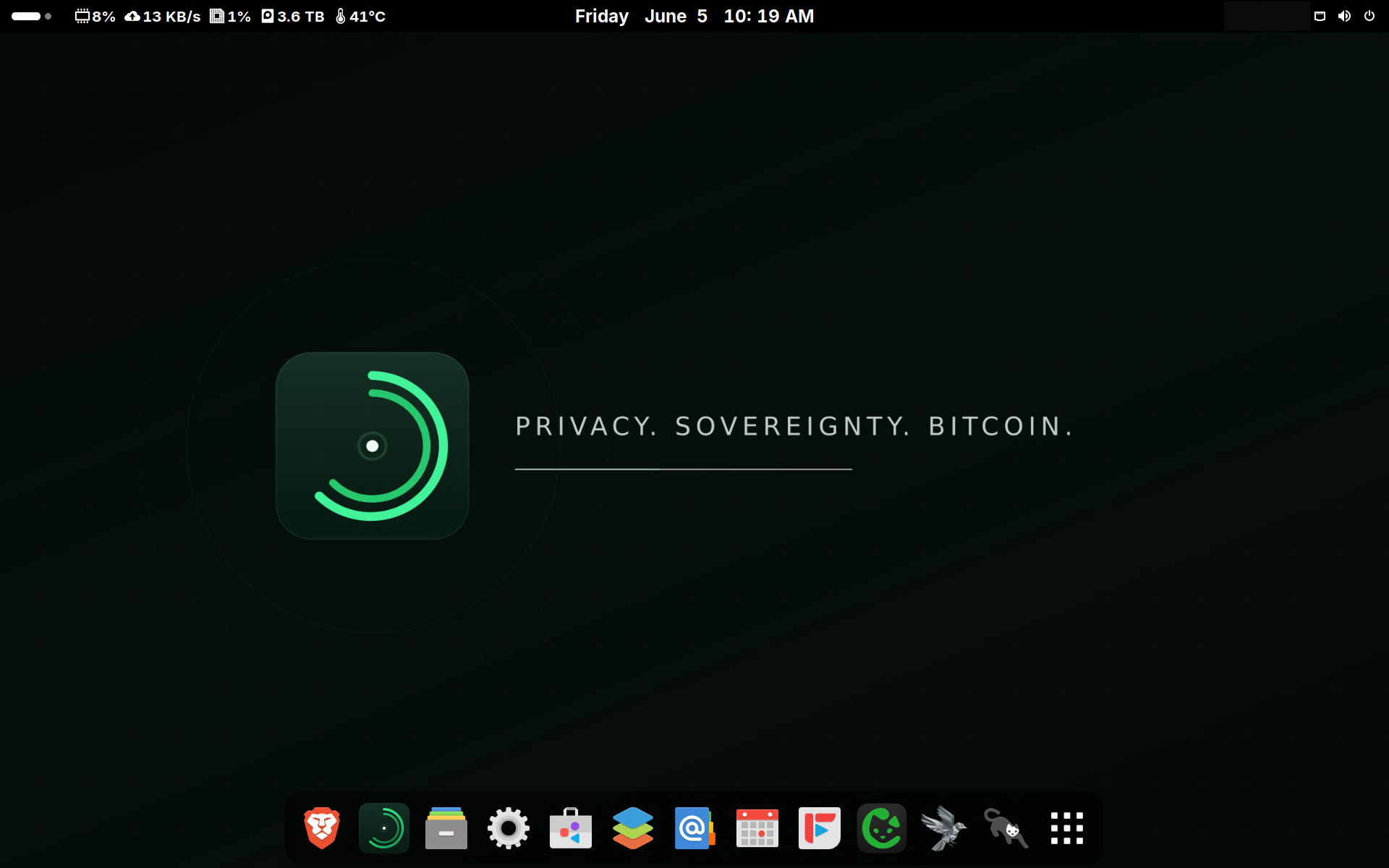
Sovran_SystemsOS private Bitcoin desktop *Bitcoin sovereignty from the first boot.*
--- ## Bitcoin software should help you leave the middleman behind Bitcoin gives people the ability to hold and transfer value without asking a bank, exchange, or custodian for permission. But that freedom depends on the software and infrastructure you choose to use. Sovran_SystemsOS brings the essential tools together in one operating system: - **Hold your own keys** with Sparrow Wallet. - **Buy and sell Bitcoin peer-to-peer** with Bisq and Bisq 2. - **Use non-KYC Bitcoin tools** without depending on a custodial exchange account. - **Verify your own Bitcoin** with a full node. - **Connect your wallets to your node**, not a stranger's. - **Use Lightning** with LND and Ride The Lightning. - **Accept Bitcoin directly** with BTCPay Server. - **Route the Bitcoin stack through Tor** for stronger network privacy. - **Control everything from the Sovran Hub.** No custodian needs to hold your Bitcoin. No outside node needs to tell your wallet what happened on the Bitcoin network. No third-party cloud needs to control your data or services. > Sovran_SystemsOS provides tools for self-custody and peer-to-peer Bitcoin > use. Users remain responsible for protecting their keys, understanding their > trades, following applicable laws, and maintaining secure backups. --- ## Bitcoin tools included from day one You do not need the largest computer or a fully synchronized Bitcoin node to begin taking control of your Bitcoin. Every Sovran_SystemsOS mode includes the standard desktop Bitcoin applications: **Sparrow Wallet, Bisq, and Bisq 2**. ### Sparrow Wallet Sparrow is a privacy-focused desktop Bitcoin wallet built for transparent, secure self-custody. Use Sparrow to: - Create and manage Bitcoin wallets - Connect signing devices and hardware wallets - Build and inspect transactions - Manage UTXOs and coin selection - Use multisignature wallets - Connect directly to your own Electrs server in Node mode Your keys remain under your control. ### Bisq Bisq is a decentralized peer-to-peer Bitcoin exchange. It allows buyers and sellers to trade directly without depositing their Bitcoin with a centralized exchange. There is no central company holding user funds and no conventional exchange account standing between participants. ### Bisq 2 Bisq 2 is the next generation of the Bisq peer-to-peer trading network. It is installed alongside Bisq so users can access both generations of the Bisq ecosystem from the Sovran_SystemsOS desktop. Together, Sparrow, Bisq, and Bisq 2 provide a practical path to obtaining, holding, and using Bitcoin without making a custodial exchange the center of your financial life. --- ## Three modes, one path toward Bitcoin sovereignty Every mode includes the same private NixOS and GNOME foundation, the Sovran Hub, Sparrow Wallet, Bisq, and Bisq 2. What changes is how much Bitcoin and self-hosting infrastructure runs on the machine. | Mode | Best for | Bitcoin capability | |---|---|---| | **Desktop** | Everyday users and computers with modest hardware | Sparrow, Bisq, and Bisq 2 for self-custody and peer-to-peer Bitcoin use | | **Node** | People ready to verify and operate their own Bitcoin infrastructure | Everything in Desktop plus Bitcoin Knots, Electrs, LND, RTL, BTCPay Server, Tor, and wallet-to-node connections | | **Server + Desktop** | Bitcoiners who also want to reclaim their communications, cloud, passwords, and web services | The complete Node stack plus private self-hosted services | ### Desktop — start with your keys Desktop mode is not a reduced or Bitcoin-free edition. It is a private everyday computer that includes: - Sparrow Wallet - Bisq - Bisq 2 - A clean GNOME desktop - Privacy-respecting everyday applications - Tor - The Sovran Hub This gives people a lower-hardware path to Bitcoin self-custody and peer-to-peer, non-KYC Bitcoin tools from the first boot. You can begin with Desktop today and move to your own node when your hardware, storage, and needs are ready. **Recommended hardware:** - 64-bit Intel or AMD processor, approximately 2015 or newer - 8 GB RAM - 256 GB SSD - Any broadband connection ### Node — verify your own money Node mode includes the private desktop and adds the full Bitcoin stack. Instead of asking someone else's server about your wallet and transactions, you operate the infrastructure that performs the verification. The Node stack includes: - **Bitcoin Knots** — independently verify the Bitcoin timechain and consensus rules - **Electrs** — connect compatible wallets to your own node - **LND** — operate a Lightning node - **Ride The Lightning** — manage Lightning through a web interface - **BTCPay Server** — accept Bitcoin payments without a payment processor - **Sparrow Wallet** — connect your wallet to your own infrastructure - **Bisq and Bisq 2** — trade Bitcoin peer-to-peer - **Tor integration** — improve network privacy across the Bitcoin stack - **Sovran Hub** — launch, monitor, and reach everything from one place Your node verifies. Your wallet connects to it. Your keys remain yours. **Recommended hardware:** - x86 Intel or AMD processor, approximately three years old or newer - 16 GB RAM - 500 GB NVMe SSD for the operating system - 2 TB NVMe SSD for the Bitcoin timechain - Unmetered broadband - Approximately 200 Mbps download and 50 Mbps upload ### Server + Desktop — sovereignty beyond money Server + Desktop includes the complete Bitcoin Node stack and extends the same ownership model to the rest of your digital life. Run your own: - Private cloud - Files, calendars, and contacts - Encrypted communications - Password vault - Website - Nostr relay - Bitcoin payment infrastructure Bitcoin sovereignty is the foundation. Server + Desktop applies that principle to your data, communications, identity, and services. **Recommended hardware:** - x86 Intel or AMD processor, approximately three years old or newer - 32 GB RAM - 500 GB NVMe SSD for the operating system - 2 TB NVMe SSD for the Bitcoin timechain - Unmetered broadband - Approximately 200 Mbps download and 50 Mbps upload - A domain for publicly accessible self-hosted services --- ## Use Sovran_SystemsOS your way You do not have to replace the operating system on your current computer to benefit from Sovran_SystemsOS. ### Use it as your everyday computer Install Sovran_SystemsOS on a desktop, laptop, or mini PC and use its clean GNOME desktop as your daily operating system. You receive a private desktop, the Sovran Hub, everyday applications, Bitcoin software, and the tools included with your selected mode. ### Use it as a private Bitcoin and home server Prefer to keep using Windows, macOS, Linux, Android, or iOS? Install Sovran_SystemsOS on a separate computer and let it run quietly on your local network. From another device connected to the same network, open a web browser and visit: ```text http://sovransystemsos.local ``` Sign in to the Sovran Hub and manage the system from your: - Windows computer - Mac - Linux computer - Phone - Tablet - Any other device with a modern web browser Your Sovran_SystemsOS machine can operate as a private, headless Bitcoin and self-hosting appliance. It can run without a monitor during everyday use while you control it from the devices you already know. Your existing devices remain familiar. Sovran_SystemsOS provides the independent infrastructure behind them. > **Local access:** `sovransystemsos.local` is intended for devices connected > to the same local network as the Sovran_SystemsOS machine. The Hub is > protected by authentication and is not automatically exposed to the public > internet. --- ## The Sovran Hub ### Your private infrastructure, controlled from any screen. The Sovran Hub is the command center built into Sovran_SystemsOS. It is both a local desktop application and a private web interface served directly by your Sovran_SystemsOS machine. Use the Hub directly from the Sovran_SystemsOS desktop, or open it from another device at: ```text http://sovransystemsos.local ``` From one place, the Hub helps you: - Open and monitor your services - See what is running - Start and stop supported services - Configure system features - Manage service domains - Reach your Bitcoin tools - Manage your private cloud and communications - Perform supported system operations - Control Sovran_SystemsOS without everyday terminal commands Nothing needs to be installed on the device opening the Hub. You only need a modern browser and access to the same local network. ### Example home setup ```text Your local network │ ┌──────────────────────┼──────────────────────┐ │ │ │ Windows laptop Phone or tablet Mac or Linux │ │ │ └──────── Browser: sovransystemsos.local ────┘ │ ▼ ┌──────────────────────────┐ │ Sovran_SystemsOS │ │ │ │ • Sovran Hub │ │ • Bitcoin node │ │ • Sparrow Wallet │ │ • Bisq and Bisq 2 │ │ • Lightning │ │ • Private cloud │ │ • Communications │ │ • Password vault │ │ • Hosted services │ └──────────────────────────┘ ``` Keep using the devices you already own. Sovran_SystemsOS becomes the private Bitcoin and digital infrastructure behind them. --- ## What is included? Depending on the selected mode and enabled features, Sovran_SystemsOS brings together a growing collection of private, open-source tools. ### Your money — Bitcoin sovereignty - Bitcoin Knots - Electrs - LND - Ride The Lightning - BTCPay Server - Sparrow Wallet - Bisq - Bisq 2 - Tor integration - Automatic wallet-to-node connections - Optional Mempool explorer Run your own Bitcoin infrastructure. Verify your own money. Trust no one. ### Your voice — private communications - Matrix Synapse - Element - Optional Element calling - Optional Haven Nostr relay Communicate without making Big Tech the owner of your identity or conversations. ### Your cloud — self-hosting and storage - Nextcloud - Vaultwarden - WordPress - Caddy - Private service domains - Optional remote desktop Keep your files, passwords, calendar, contacts, website, and services on hardware you control. ### Your desktop - GNOME desktop - Brave - Firefox - File management - Calendar and contacts - Email client - Office applications - System monitoring tools - Administration utilities Not every service is enabled in every mode. The Sovran Hub presents and manages the features available on your system. --- ## What makes Sovran_SystemsOS different? There are Linux distributions that can run a Bitcoin wallet. There are node projects that can run Bitcoin services. There are self-hosting projects that can replace individual cloud applications. Sovran_SystemsOS brings those worlds together. ### Bitcoin from the first boot Sparrow, Bisq, and Bisq 2 are not optional suggestions buried in documentation. They are installed as part of the operating system and available from the desktop. ### A complete path Begin with a private desktop and self-custody. Grow into peer-to-peer Bitcoin exchange, your own node, Lightning, Bitcoin payments, and complete self-hosting. ### One control center The Sovran Hub brings the Bitcoin stack, private services, credentials, system status, and supported configuration into one interface. ### Your hardware The system runs on a computer you control. Your node, wallets, data, services, and system configuration do not depend on a Sovran Systems cloud account. ### Reproducible foundation Sovran_SystemsOS is built declaratively with NixOS and Nix flakes. Its inputs are pinned, its configuration can be audited, and the system can be rebuilt from source. --- # Download and install it yourself Sovran_SystemsOS is free and open source. You can download the installer, verify it, write it to a USB drive, and install it yourself. You remain in control from the very first step. ## What is an ISO? An ISO is a complete installation image containing the operating system and the files required to boot the Sovran_SystemsOS installer. The ISO is not copied to a USB drive like an ordinary document. It must be written to the USB drive with an imaging application such as Balena Etcher. ## What you need Before beginning, you will need: - A compatible 64-bit computer - A USB drive that can be erased - Another computer for downloading and preparing the installer - An internet connection - A USB imaging application such as Balena Etcher - A backup of anything important on the destination computer > **Important:** Installing an operating system can erase the selected > destination drive. Back up important files and review every disk selection > carefully before continuing. --- ## Step 1: Download the ISO Download the Sovran_SystemsOS installer: ### [Download Sovran_SystemsOS.iso](https://downloads.sovransystems.com/Sovran_SystemsOS.iso) Depending on your browser and internet connection, the download may take some time. Do not rename or modify the file before verifying it. The downloaded file should be named: ```text Sovran_SystemsOS.iso ``` --- ## Step 2: Download the checksum Download the matching SHA-256 checksum: ### [Download Sovran_SystemsOS.iso.sha256](https://downloads.sovransystems.com/Sovran_SystemsOS.iso.sha256) A checksum is a digital fingerprint of a file. Verifying the checksum confirms that: - The complete ISO downloaded successfully - The file was not accidentally corrupted - The downloaded file matches the published image The checksum produced from your ISO must match the published checksum exactly. --- ## Step 3: Verify the ISO Place the ISO and checksum file in the same folder, then follow the instructions for your current operating system. ### Linux Open a terminal in the download folder and run: ```bash sha256sum Sovran_SystemsOS.iso ``` You can also ask the checksum file to perform the comparison: ```bash sha256sum --check Sovran_SystemsOS.iso.sha256 ``` A successful comparison should report: ```text Sovran_SystemsOS.iso: OK ``` ### macOS Open Terminal in the download folder and run: ```bash shasum -a 256 Sovran_SystemsOS.iso ``` Compare the value shown in Terminal with the value inside: ```text Sovran_SystemsOS.iso.sha256 ``` ### Windows PowerShell Open PowerShell in the download folder and run: ```powershell Get-FileHash .\Sovran_SystemsOS.iso -Algorithm SHA256 ``` Compare the value under `Hash` with the published checksum. ### If the values do not match Do not install the image if the checksums are different. 1. Delete the downloaded ISO. 2. Download it again. 3. Repeat the verification. 4. Continue only after the values match exactly. --- ## Step 4: Write the ISO to a USB drive Balena Etcher is available for Linux, macOS, and Windows. 1. Download and install Balena Etcher. 2. Connect the USB drive. 3. Open Balena Etcher. 4. Choose **Flash from file**. 5. Select `Sovran_SystemsOS.iso`. 6. Choose **Select target**. 7. Select the correct USB drive. 8. Review the selected drive carefully. 9. Choose **Flash**. 10. Wait for the writing and verification process to finish. > **Warning:** Flashing the ISO erases the selected USB drive. Verify that you > selected the USB drive and not another storage device. After flashing, your current operating system may report that it cannot read the USB drive or may show several unfamiliar partitions. This can be normal for a bootable Linux installer. Do not format the USB drive after flashing it. --- ## Step 5: Boot from the USB drive 1. Leave the prepared USB drive connected. 2. Shut down or restart the destination computer. 3. Open the computer's boot-device menu. 4. Select the USB drive. 5. Start the Sovran_SystemsOS installer. Common boot-menu keys include: - `F12` - `F11` - `F10` - `F9` - `Esc` - `Delete` The correct key depends on the computer manufacturer. It is often briefly shown on screen when the computer first powers on. If the normal operating system starts instead, restart and try the boot-menu key again. --- ## Step 6: Install Sovran_SystemsOS Follow the on-screen installer. Before confirming the installation: - Verify that you selected the correct destination drive. - Back up any important data on that drive. - Understand that existing partitions and data may be erased. - Disconnect unrelated external drives if you are unsure which drive is which. - Confirm that the computer is connected to reliable power. When installation is complete: 1. Restart the computer. 2. Remove the USB drive when instructed. 3. Allow Sovran_SystemsOS to start from the installed drive. 4. Complete the initial setup. --- ## Step 7: Open the Sovran Hub You can open the Hub directly from the Sovran_SystemsOS desktop. You can also open it from another device on the same local network. On your laptop, phone, tablet, or other computer, open a browser and visit: ```text http://sovransystemsos.local ``` Sign in using your Sovran_SystemsOS credentials. You can now use the Hub without sitting in front of the Sovran_SystemsOS computer. ### If `sovransystemsos.local` does not open Check the following: 1. Make sure the Sovran_SystemsOS machine is powered on. 2. Make sure both devices are connected to the same local network. 3. Confirm that you entered the full address: ```text http://sovransystemsos.local ``` 4. Avoid guest Wi-Fi networks, which may prevent devices from seeing one another. 5. Allow the Sovran_SystemsOS machine a few minutes to finish starting. 6. Temporarily disconnect a VPN that may be interfering with local-network access. 7. Try another browser or device on the same network. Some networks or devices may not support `.local` address discovery correctly. Network isolation, custom DNS settings, VPNs, and some routers can interfere with local-device discovery. --- ## Two paths to get started ### Download and install Sovran_SystemsOS is free, public, and open source. Download the ISO, verify the checksum, flash it to USB, and install it on your own hardware. [Download the ISO](https://downloads.sovransystems.com/Sovran_SystemsOS.iso) ### Guided help Not technical? You do not have to figure everything out alone. Visit the Sovran Systems website to learn about guided setup, supported hardware, and Royal Membership. [Visit Sovran Systems](https://sovransystems.com) --- # For developers Sovran_SystemsOS combines the reproducibility of NixOS, the Bitcoin service modules of nix-bitcoin, the desktop Bitcoin packages provided by `btc-clients-nix`, and the Sovran Hub into a complete Bitcoin operating system. The operating system configuration, installer, Hub, desktop integration, Bitcoin services, and optional self-hosting services are maintained in this repository. ## Technology - **NixOS and Nix flakes** for reproducible system configuration - **nix-bitcoin** for declarative Bitcoin and Lightning services - **btc-clients-nix** for Sparrow, Bisq, and Bisq 2 packages - **Python and FastAPI** for the Sovran Hub backend - **JavaScript, HTML, and CSS** for the Hub interface - **GNOME** for the desktop environment - **Caddy** for local and public service routing - **Tor** for Bitcoin network privacy - **AGPL-3.0** licensing --- ## Build from source ### Prerequisites You need a system with Nix installed and flakes enabled. Clone the repository: ```bash git clone https://github.com/naturallaw777/sovran-systems.git cd sovran-systems ``` Build the installer: ```bash nix build \ .#nixosConfigurations.sovran_systemsos-iso.config.system.build.isoImage ``` The resulting build output will be available through the `result` symlink. --- ## Common development commands Run these commands from the flake root. ### Build the installer ```bash nix build \ .#nixosConfigurations.sovran_systemsos-iso.config.system.build.isoImage ``` ### Build the system configuration ```bash nixos-rebuild build --flake .#nixos ``` ### Test without making the change permanent ```bash sudo nixos-rebuild test --flake .#nixos ``` ### Activate the new configuration ```bash sudo nixos-rebuild switch --flake .#nixos ``` ### Stage the configuration for the next boot ```bash sudo nixos-rebuild boot --flake .#nixos ``` ### Update pinned flake inputs ```bash nix flake update ``` Review and test input updates before committing the modified `flake.lock`. ### Roll back the last activated generation ```bash sudo nixos-rebuild switch --rollback ``` --- ## Repository map | Path | Purpose | |---|---| | `flake.nix` | Declares flake inputs, the running system, and installer outputs | | `flake.lock` | Pins dependencies for reproducible builds | | `configuration.nix` | Base host, boot, desktop, user, security, backup, and system configuration | | `modules/` | Core modules, Bitcoin services, self-hosted services, and optional features | | `modules/core/` | Roles, Hub integration, Caddy, desktop, support, and other core behavior | | `app/` | Sovran Hub backend, templates, static assets, scripts, and web interface | | `iso/` | Installer configuration, installer code, and installer assets | | `assets/` | Repository documentation images | | `custom.template.nix` | Template for local features and service overrides | | `role-state.nix` | Selected Sovran_SystemsOS mode or role | --- ## Architecture overview Sovran_SystemsOS is assembled from a reproducible Nix flake. ```text ┌─────────────────────────┐ │ flake.nix │ │ │ │ Inputs and system │ │ build outputs │ └────────────┬────────────┘ │ ▼ ┌─────────────────────────┐ │ configuration.nix │ │ │ │ Host, desktop, users, │ │ boot, security, backup │ └────────────┬────────────┘ │ ▼ ┌─────────────────────────┐ │ modules/modules.nix │ │ │ │ Core modules, services, │ │ and optional features │ └────────────┬────────────┘ │ ┌──────────────────┼──────────────────┐ │ │ │ ▼ ▼ ▼ ┌────────────┐ ┌────────────┐ ┌────────────┐ │ Sovran Hub │ │ Bitcoin │ │ Private │ │ and desktop│ │ ecosystem │ │ services │ └────────────┘ └────────────┘ └────────────┘ ``` The Hub writes supported user choices into the local configuration. NixOS then rebuilds the machine into the selected declarative state. --- ## Module overview ### Core modules Core modules provide the base Sovran_SystemsOS experience, including: - Role selection and role logic - Sovran Hub - GNOME desktop integration - Caddy - Local Hub access - Network and domain support - Local SSH operations - Remote deployment support - Technical support controls - Performance and power behavior ### Bitcoin services The Bitcoin stack includes: - Bitcoin Knots - Electrs - LND - Ride The Lightning - BTCPay Server - Sparrow Wallet - Bisq - Bisq 2 - Wallet-to-node connections - Tor integration ### Private services Self-hosted services include: - Matrix Synapse - Nextcloud - Vaultwarden - WordPress ### Optional features Optional features include: - Haven Nostr relay - Element calling - Mempool explorer - Bitcoin Core selection - Remote desktop - Public-network SSH Feature availability and defaults may change as Sovran_SystemsOS develops. Review the relevant Nix module before relying on a specific default in a production environment. --- ## Security approach Sovran_SystemsOS is designed around local ownership and explicit control. Its security foundations include: - Reproducible builds from pinned flake inputs - Firewall enabled by default - Public SSH disabled by default - Remote desktop disabled by default - Hub authentication - Local-network Hub access through `sovransystemsos.local` - Tor integration for the Bitcoin stack - User-controlled service exposure - Declarative system configuration - Restricted technical-support access - Auditable open-source code No operating system can guarantee complete security. Users should still apply updates, protect credentials, maintain backups, secure their local network, and review any services they choose to expose publicly. Bitcoin users must also securely back up wallet seed phrases, descriptors, channel backups, and other recovery information. Never store your only wallet backup on the same computer that holds the wallet. --- ## Acknowledgements Sovran_SystemsOS stands on the work of exceptional free and open-source projects and contributors. ### NixOS Deep gratitude goes to the **NixOS team, the Nixpkgs maintainers, and the broader Nix community**. NixOS provides the reproducible, declarative foundation that makes Sovran_SystemsOS possible. Its module system, package ecosystem, flakes, and generation-based system management allow an entire Bitcoin operating system to be described, audited, rebuilt, upgraded, and rolled back from source. Sovran_SystemsOS would not have the same reliability, transparency, or reproducibility without their years of work. ### nix-bitcoin Special thanks go to the **nix-bitcoin project and its contributors**. nix-bitcoin provides the declarative foundation for building and operating Bitcoin and Lightning services on NixOS. Its work makes it possible to configure complex Bitcoin infrastructure—including nodes, Electrs, Lightning, Tor integration, and related services—in a reproducible and auditable way. Sovran_SystemsOS builds upon that foundation to make this infrastructure approachable through an integrated desktop, installer, and Sovran Hub. ### Emmanuel Rosa and btc-clients-nix Special thanks go to **Emmanuel Rosa** for [`btc-clients-nix`](https://github.com/emmanuelrosa/btc-clients-nix). The project provides Nix packages for the Bitcoin desktop software central to the Sovran_SystemsOS experience: - Sparrow Wallet - Bisq - Bisq 2 This work helps make it possible for Sovran_SystemsOS to deliver self-custody and peer-to-peer Bitcoin tools as part of every installation. ### The upstream Bitcoin ecosystem Sovran_SystemsOS also depends on the work of the developers and communities behind: - Bitcoin Knots - Bitcoin Core - Sparrow Wallet - Bisq - Bisq 2 - Electrs - LND - Ride The Lightning - BTCPay Server - Tor - NixOS - GNOME - Caddy - Nextcloud - Matrix Synapse - Element - Vaultwarden - WordPress - Every other upstream project included in the system Sovran Systems did not create these foundations. Our work is to bring them together into a cohesive operating system that helps more people use Bitcoin privately, independently, and with confidence. Thank you to every developer, maintainer, reviewer, tester, documentarian, and user who keeps this ecosystem alive. --- ## License Sovran_SystemsOS is free and open-source software licensed under the [GNU Affero General Public License v3.0](LICENSE). The AGPL-3.0 protects your freedom to: - Use Sovran_SystemsOS - Study how the system works - Modify the source code - Share original or modified versions - Build and operate the system on your own hardware If you distribute a modified version, you must make its corresponding source code available under the same license. Because Sovran_SystemsOS includes the browser-based Sovran Hub, operators who modify the covered software and make that modified version available for users to interact with over a network must offer those users access to its corresponding source code, as required by the AGPL-3.0. Sovran_SystemsOS is provided **without warranty**, as described in the full license. > Individual upstream applications, packages, artwork, fonts, and other > components included with or built by Sovran_SystemsOS may have their own > licenses and copyright holders. The AGPL-3.0 license for this repository does > not replace the licenses of independent upstream projects. Read the complete license terms in [`LICENSE`](LICENSE). ---
## Privacy. Sovereignty. Bitcoin. ### Your Bitcoin life. Your keys. Your node. Your machine. [Visit Sovran Systems](https://sovransystems.com) · [Download Sovran_SystemsOS](https://downloads.sovransystems.com/Sovran_SystemsOS.iso) · [View the License](LICENSE)